| Random files - Melora's Gallery |
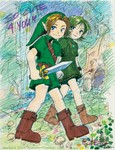
melora_forest.jpgForest Child1345 viewsJust a sketch, colored quickly for the heck of it. The faces were very much like ones from a doujinshi I had- I was looking at it when I drew this for practice. Had to change Saria's outfit, it always bugged me a little. -This is not a pairing, I think Link and Saria make adorable best friends, and when I was little up until now, I had guy friends that were like actual brothers to me, so that's how I see these two.Melora
|
|
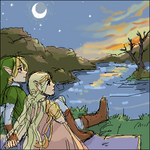
melora_hyliannight.pngHylian Night1089 viewsDone on an Oekaki program; that's like a Japanese Paint/BBS. I had to change the background a little in Photoshop because the sunset made it look like the tree in lake Hylia was on fire. (plesae no fighting/talk/etc.. over pairings, I'm so tired of fighting. It doesn't matter, it's just a picture) Done with an Oekaki- a web-based Japanese Paint/BBS programMelora
|
|
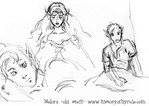
melora_lttp2.jpgPractice Sketches836 viewsThese are practice sketches of the art from the Link to the Past guide- pencilMelora
|
|
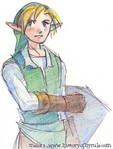
melora_pencil_link.jpgPencil Link731 viewsJust a quickly colored sketch of Link. Crayola pencilsMelora
|
|
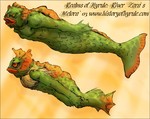
melora_zora.jpgRiver Zora's1005 viewsEver notice that there are a few types of Zora's? Some come on land, some don't- and then we're not even getting to the blue talking kind.Melora
|
|
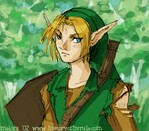
melora_glance.jpgGlance1050 viewsA silly sketch I just decided to color quickly in photoshopMelora
|
|

melora_blargh.png819 viewsI just found this sitting in some tucked away folder, just thought I'd add it to help make a complete collection ;p Just an OekakiMelora
|
|
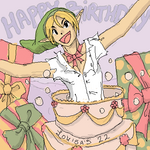
melora_louisa22.png924 viewsA silly oekaki I did for a friends birthday :3Melora
|
|
| Last additions - Melora's Gallery |
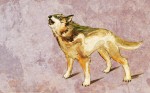
Howl_by_Woodland_Mel.jpgHowl917 viewsThis was NOT finished. There is no chain because I stopped working on it. Find info and a description for this here: http://woodland-mel.deviantart.com/art/Howl-92632252MeloraDec 14, 2008
|
|

I_will_have_you____by_Woodland_Mel.jpgI will have you...1167 viewsFind info and a description for this here: http://woodland-mel.deviantart.com/art/I-will-have-you-104368215MeloraDec 14, 2008
|
|
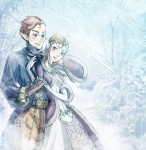
Trade__Snowfall_by_Woodland_Mel.jpgSnowfall1185 viewsFind info and a description for this here: http://woodland-mel.deviantart.com/art/Snowfall-103595939MeloraDec 14, 2008
|
|
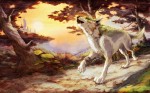
Twilight_Wolf_by_Woodland_Mel.jpgTwilight Wolf1183 viewsFind info and a description for this here: http://woodland-mel.deviantart.com/art/Twilight-Wolf-92632304MeloraDec 14, 2008
|
|

process.jpghuggles-progress971 viewsJust showing how I work from start to finish.
And since someone at DA asked me if I use anything special in Photoshop to get "this?" look, I'll post my reply:
I just use the flat round brush (I don't really ever use feathered edges) between 50 and 70 opacity and the size of the brush is usually between 5 and 19 (unless I'm filling in a very large area.) Sometimes I use the smudge tool to brush out/blend color areas, but I try not to unless I need too. I'll also, sometimes, put highlights or colors in another layer and adjust the transparency (I did that here for the shine on his hair-- because I just wanted to paste it on real quick.) Or use the overlay layer effect for shadows. Just 'cause that's all even easier to adjust and redo. But what I just described, the way of painting, it takes me a really long time. It's just the only way (flukes not included) I seem to be able to work :/MeloraDec 29, 2006
|
|
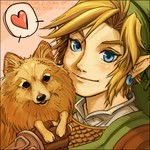
_huggles_v2.jpg*huggles*2238 viewsA trade with Chibi Rinku. I don't usually do trades/commissions/request but it was a special LJ Christmas thing some friends were doing and I was in the spirit. I *hope* that's her doggie X) Done 100% in photoshop with a tabletMeloraDec 27, 2006
|
|
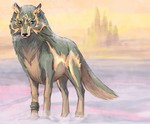
Twilight_Winter.jpgTwilight Winter2309 viewsKarma bit me in the butt; I was supposed to be working on something for my grandfather but instead I did this- and I managed to save over the large 1117 pixel wide one when I shrunk it to the 349 wide size it is now to see how it would look as a site header. *doh* I haven't done that in ages! I don't know how I didn't notice until it was too late. I was going to crop it and use it for a xmas card, but now I'd have to draw over it so I could make it larger again ;>_> *crap* I don't think I have time for that. So, anyway, yeah. This is it (*sobs and laughs at self*)MeloraDec 20, 2006
|
|
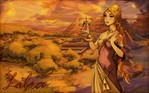
libra-1680x1050.jpgLibra1604 viewsPart of my Zodiac series. Formatted to be a widescreen wallpaper. The map is a somewhat inaccurate LttP lightworld on the left and darkword on the right. This background killed me. I finally just gave up and called the whole thing done.MeloraNov 11, 2006
|
|
 Register